
Melhor para: Users who want a simple and fast method to magnify and sharpen low-res images that will require minimal work should definitely take a look at this tool.
I've tested several AI image upscalers, and one thing I've taken away from it all is that it really depends on the tool. Some of them give sharper images, others just make the images bigger without adding any meaningful details. For this reason, I decided to try Deep AI Super Resolution to check if this really would be a quality improvement or is just another AI tool with a great advertising campaign. The final outcome here would be to save you time and let this post serve as a guide if Deep AI Super Resolution is the right fit for you or just a waste of time.
Classificação geral:4/5
After testing Super Resolution Deep AI on various types of images, I felt that it was handy for making quick enhancements, mainly when an image calls for a basic resolution increase without needing too much complicated editing.
Melhor para: Users who want a simple and fast method to magnify and sharpen low-res images that will require minimal work should definitely take a look at this tool.
Não é ideal para: People looking for image repairs that involve very fine details and texture matching, including human faces, probably won't be able to get the level of accuracy they need using this.
DeepAI Super Resolution is an AI‑based image enhancement utility that not onlyincreases the size of an image but also enhances the fine visual features and sharpness. Rather than just enlarging the original image, it employs a highly advanced AI technique that generates a much crisper and higher‑quality image of greater size from an initial one that is quite small.
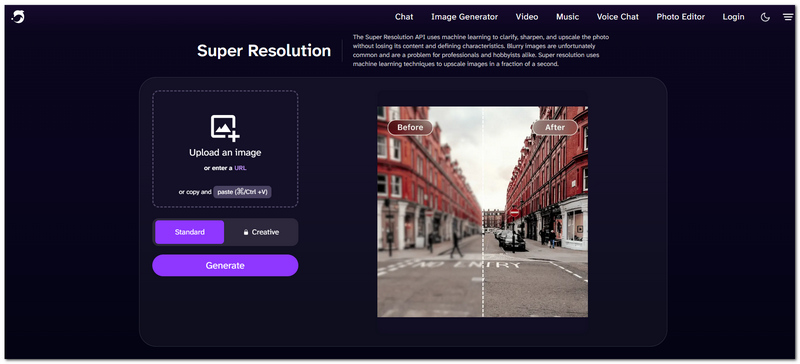
DeepAI Super Resolution is a tool that simplifies the procedure to an extent that even I, when it comes to wanting merely to enhance a picture through this software in the easiest way, was quite pleased. The main functions are:
For this test, I took three different types of images and compared their enhancements with the Super Resolution DeepAI technology, trying to figure out in which cases the sharpening effect was actually a significant difference. I tried to evaluate not only sharpness but also the detail preservation and texture that the result retained. I also checked if the enhancement produced any recognizable AI‑like traces in the result.
From the portrait test, we see quite a noticeable increase in clarity and overall sharpness. Face and hair details are more visible, but some of the very fine facial areas look slightly processed after enlarging.
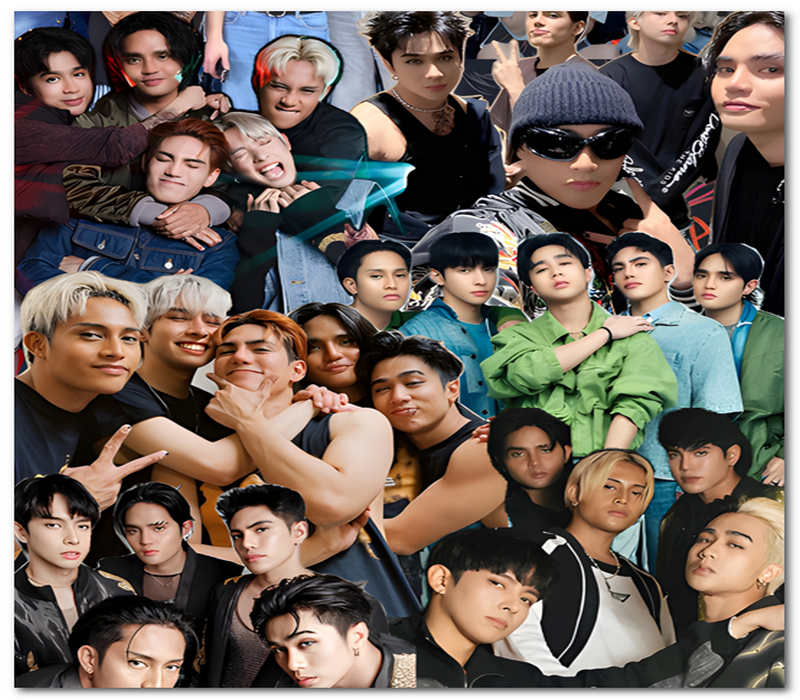
Veredicto: Good for improving portraits used for everyday purposes, but should be avoided when natural facial details are essential.
There is a big increase in resolution of the landscape image, with a particular benefit on areas like edges and large objects. However, the small details like text and faraway things were not reconstructed to perfection most of the time.
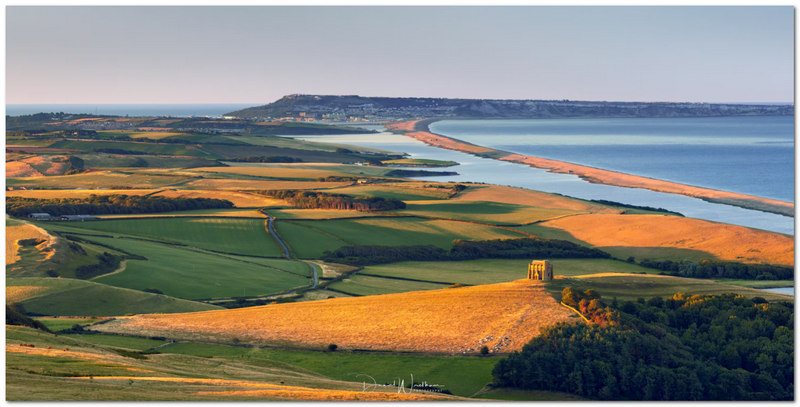
Veredicto: For general landscape enhancement, it is quite a good option, especially if the original image is not too blurred.
This test turned out to be quite useful since the original image had visibly limited detail. The DeepAI was able to produce a more refined version, but it still could not entirely replicate the information that was missing from the source.
Veredicto: It can act as an enhancement tool quite well, but it is definitely less suitable as a restoration method.
Comparação de Imagens
| Testar | Óptimo estado. Original | DeepAI Result | Meu veredicto |
| Retrato | Soft facial details | Sharper overall appearance | ⭐⭐⭐⭐ ☆ |
| Paisagem | Limited fine textures | Cleaner edges and details | ⭐⭐⭐⭐ ☆ |
| Baixa resolução | Noticeably blurry | Clareza aprimorada | ⭐⭐⭐⭐ ☆ |
Veredicto geral
I tried DeepAI Super Resolution on these three different samples and ended up very satisfied with the results. Although the difference could be spotted with the bare eye at times, I have a feeling it is mainly where the image is moderately low‑resolution. It's a nice choice if you're looking for instant results, yet you should note that the severely damaged images will probably have the most benefit from a more powerful upscaling technique.
DeepAI allows free use of some tools, and with that, you can play a little with its DeepAI image upscaler without paying any fee. Still, the heavy use and the advanced features have to be covered by paying for DeepAI Pro, which is now $9.99/month or $89.99/year.
The free plan would probably be sufficient if you only do it as a casual thing to increase the image details. If, instead, you are intending toimagens de luxo routinely or take part in the usage of the other AI functions offered by DeepAI, then the premium membership is definitely the better choice.
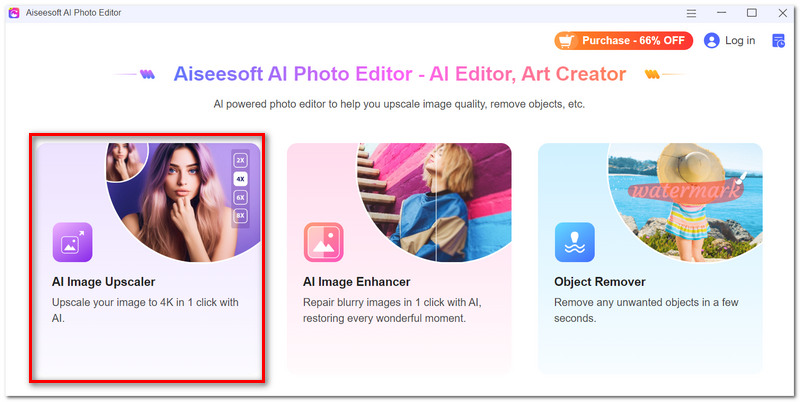
When I find that DeepAI isn't offering the image quality I need, I like having another upscaling tool at my disposal that gives me fine‑grained control of the result. Editor de fotos AI da Aiseesoft is a powerful choice as it not only offers upscaling through AI but has a lot of photo editing functions. This software is a desktop app and, besides upscaling, can do several other things. It allows you to scale images by 2 times to 8 times and also has a multi‑image processing feature for computers.

Downloads
Editor de fotos AI da Aiseesoft
 100% seguro. Sem anúncios.
100% seguro. Sem anúncios.
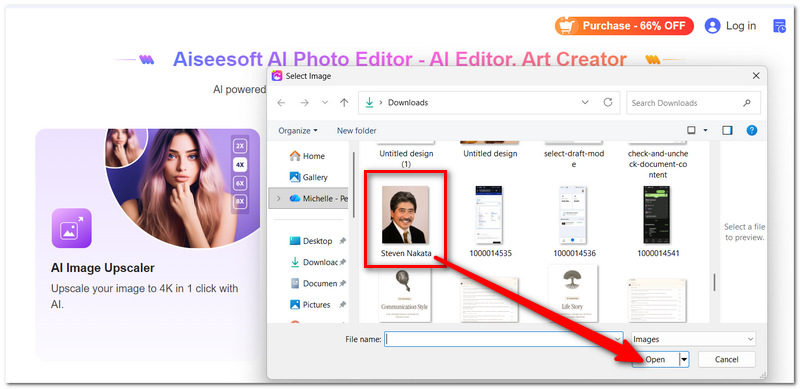
How to Upscale an Image with Aiseesoft AI Photo Editor
Will DeepAI Super Resolution be able to enhance a screenshot taken from a video?
It might be able to enlarge a screenshot and sharpen it, but how good the image will be is a lot up to the original frame. In case the screenshot is very compressed or blurry, even Super Resolution won't make those details very clear.
Can DeepAI Super Resolution entirely eliminate JPEG compression artifacts?
Not really. It may help by making the image cleaner and so reduce the visual effects of compression, but in fact, you won't get any information back that was lost originally.
Would upscaling affect colors?
Upgrading might cause some colors or small details to change slightly after being processed. Since important photos are concerned, I would suggest that you compare the processed image with the original one before using it.
Conclusão
Initially, I tested Super Resolution Deep AI and was pretty much impressed by how useful it is when you have to quickly upsample an image, especially if low‑res photos are involved. The app has a decent capability of making images crisper and bigger. Yet, there is a big chance that you might be better off with another and more powerful AI that handles restoration work if you are going for a much higher level of image quality and precision.
 Análise do criador de vídeo Deep Lucas AI: recursos, prós e contras
Lucas AI Video Creator é uma das ferramentas de conversão de texto em vídeo de IA mais populares. Este artigo irá apresentá-lo em detalhes e oferecer dicas sobre como converter vídeo.
 Revisão de IA de difusão estável para conhecer o modelo de texto para imagem
O modelo de texto para imagem Stable Diffusion AI é gratuito? A difusão estável é melhor do que o meio da jornada? Como usar a difusão estável? Verifique a revisão da Difusão Estável.
 Os 5 principais softwares de edição de vídeo AI para edição automatizada de vídeo
Existe algum software gratuito de edição de vídeo AI? Quais são os melhores sites de IA para edição de vídeo? O Invideo AI é gratuito? Esta postagem compartilha os 5 melhores editores de vídeo de IA.
Marca d'água de vídeo e imagem
O que é uma marca d'águaRemovedor de marca d'águaAplicativo removedor de marca d'águaRemover marca d'água no PhotoshopRemover marca d'água da fotoRemover objetos indesejados da fotoRemover texto de uma imagemRemover marca d'água de um vídeoRemover marca d'água do TikTokRemover texto do vídeoRemover marca d'água do BandicamRemover marca d'água do GIFAmplie e aprimore imagens em até 4K em lotes e remova marcas d'água de imagens rapidamente para JPG, JPEG, BMP, PNG, etc.
100% seguro. Sem anúncios.
100% seguro. Sem anúncios.

*Campo obrigatório
*Por favor, insira um e-mail válido