Aiseesoft Anock – Desbloqueador de Android
 100% seguro. Sem anúncios.
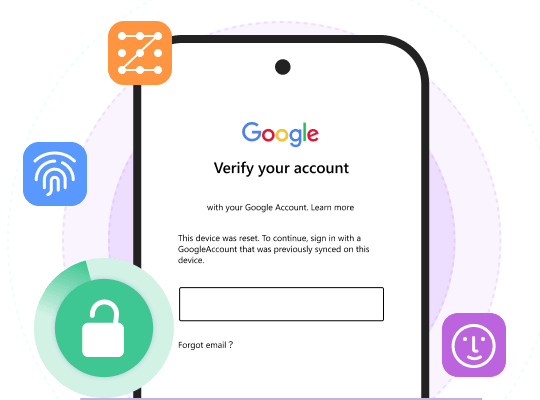
Forgot your Android PIN, pattern, password or face lock and got fully locked out? Many users immediately think of a factory reset, but this method wipes all photos, contacts, messages and app data. If you want to unlock Android phone password without factory reset and losing data today, there are still workable solutions.
This guide removed outdated methods that no longer work on modern Android versions and verified the steps that still function on Android 13, 14, 15, 16 and 17. Below, you will find proven ways to bypass the Android lock screen without losing data: including official brand tools, Google's renamed security features, and a reliable desktop unlocker.
| Desbloquear Método | Keep Data? | Precisa de um computador? | Versão Android suportada |
| Aiseesoft Alock Android Unlocker | Yes (Select Samsung models) | Sim | 6.0 Android - 17 |
| Extend Unlock (Former Smart Lock) | Sim | Não | Android 13 / 14 / 15 / 16 / 17 |
| Samsung Find (SmartThings Find) | Sim | Não | Modern Samsung Galaxy |
| Google Find Hub | Não (Apagamento remoto completo) | Não | All Android with Google account |
| Xiaomi Cloud Find | No (Usually wipes data) | Não | MIUI |
Factory reset is not the only way out when you are locked out of your Android phones. Fortunately, we have some smart unlocker apps that can save you. Aiseesoft Anock – Android Unlocker is one of them. This unlocker tool can remove screen passwords with a few clicks and bypass the FRP lock. Furthermore, it supports all Android OS versions, from Android OS 6.0 to the latest 17. Aiseesoft Anock – Desbloqueador de Android também suporta vários tipos de senhas. Desde o bloqueio de padrão antigo até o reconhecimento facial mais recente, todos vocês podem contar com este desbloqueador para removê-lo.
Downloads
Aiseesoft Anock – Desbloqueador de Android
100% seguro. Sem anúncios.
100% seguro. Sem anúncios.
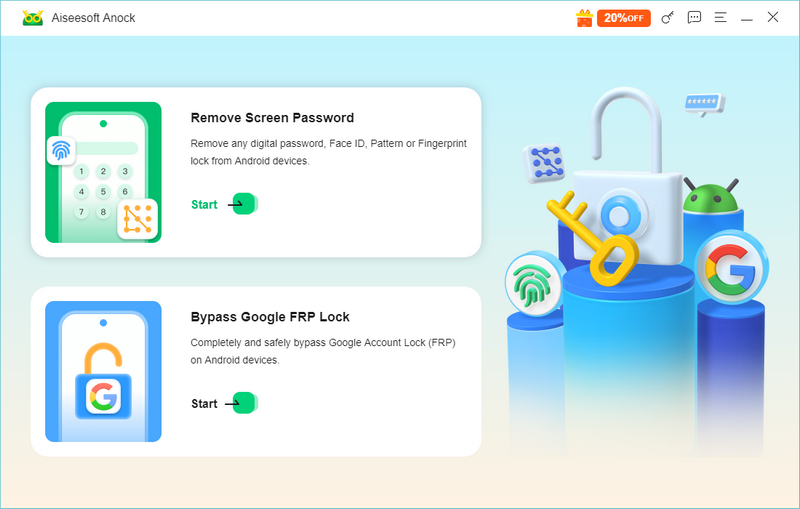
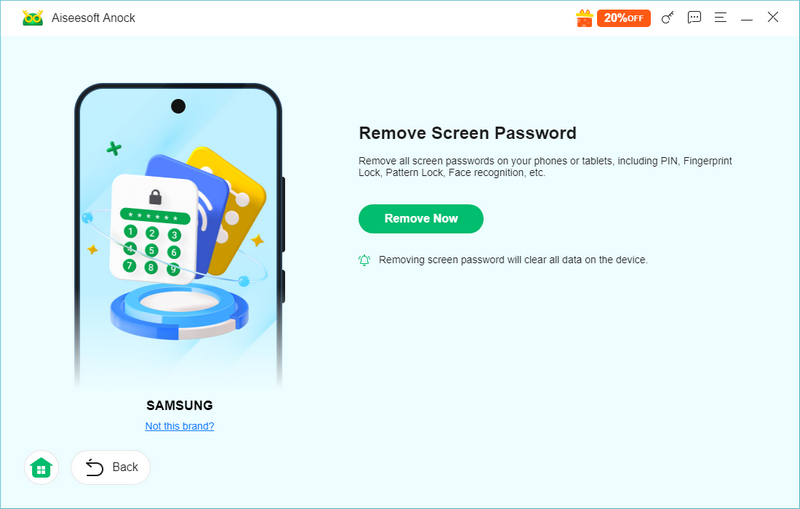
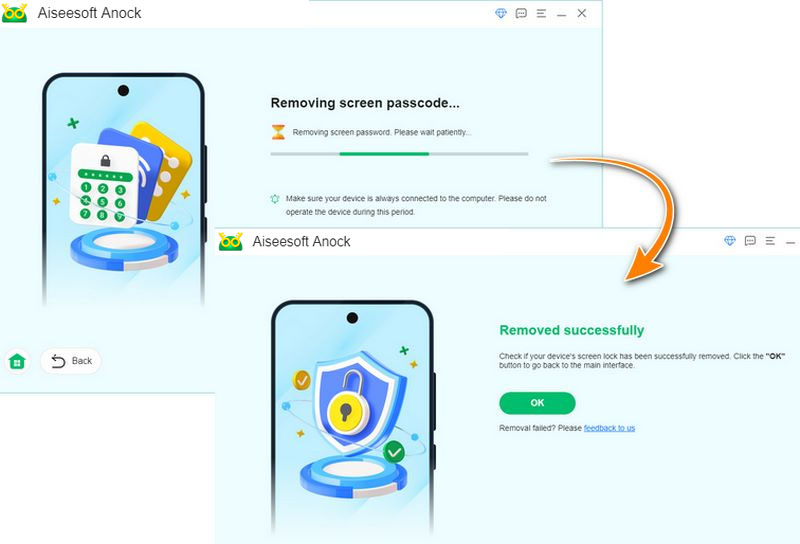
Com este método, você não precisa remover a senha ou realizar uma redefinição de fábrica manualmente. A melhor parte é que se você estiver usando os primeiros modelos da Samsung, poderá desbloquear o bloqueio do telefone Samsung sem redefinição de fábrica e perda de dados.
On Android 13, 14, 15, 16 and later, Google renamed and redesigned the legacy "Smart Lock" feature into "Extend Unlock". It can keep a compatible phone unlocked under certain conditions. Depending on your device, supported options may include:
Once configured, the phone can remain unlocked in the trusted situations above. The new setting path to configure it is: "Settings" > "Security & privacy" > "More security & privacy" > "Extend Unlock".
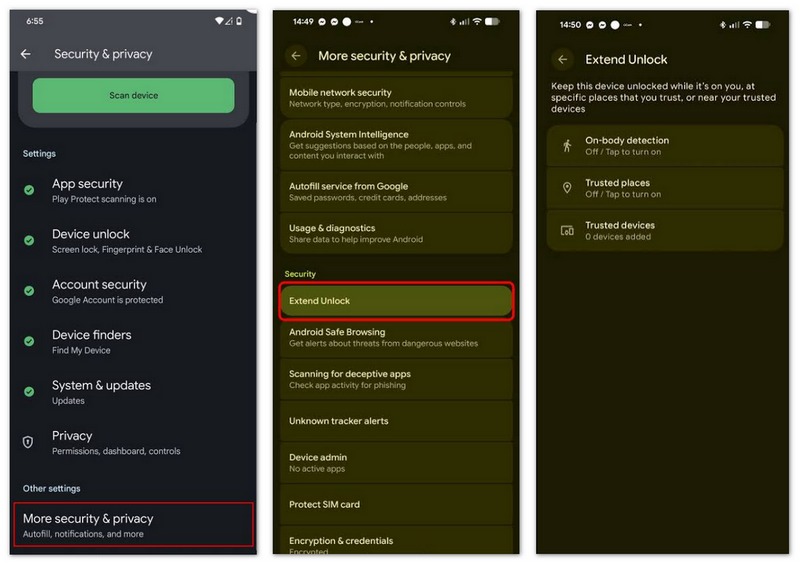
However, if you never set up Extend Unlock in advance, this method cannot help you after you are already locked out.
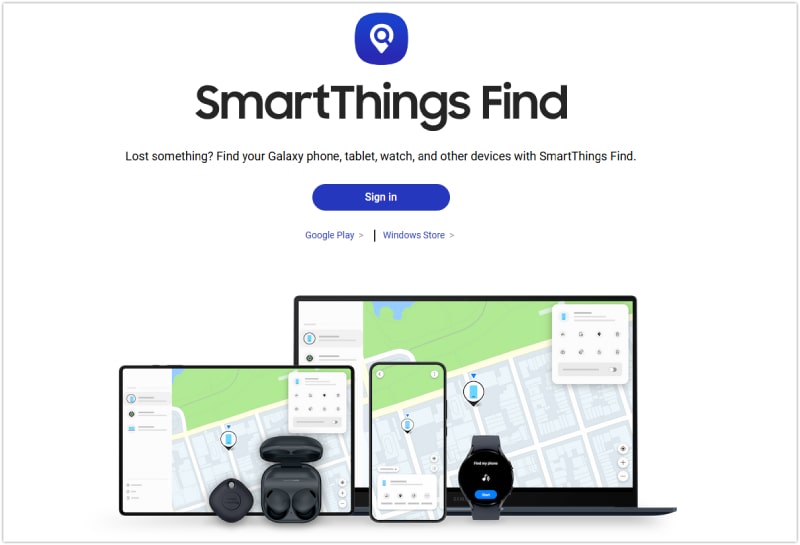
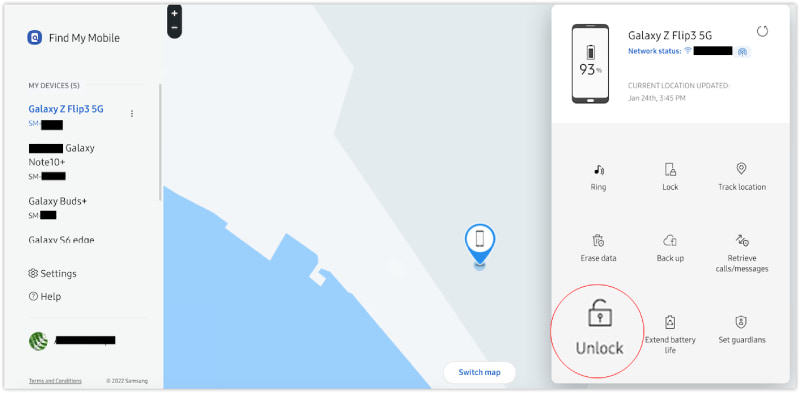
This is the safest method for Samsung users because it is the only official way to unlock a Samsung phone without losing data. Samsung has integrated its former “Find My Mobile” service into the SmartThings Find platform. To use this method, you must have previously signed in with a Samsung account and enabled the remote unlock feature on your phone.
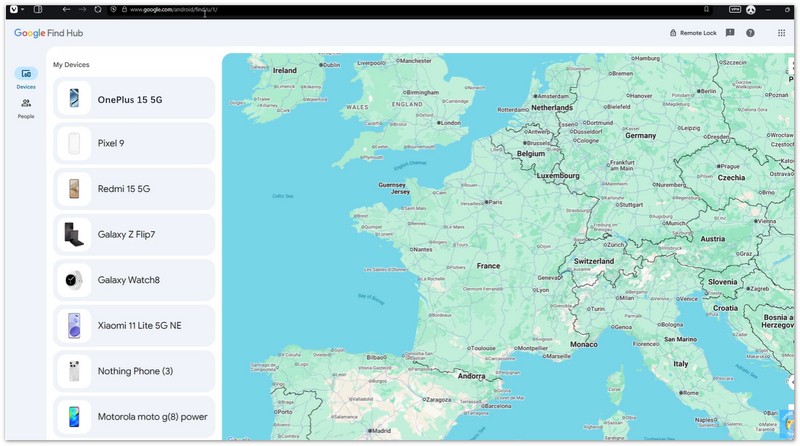
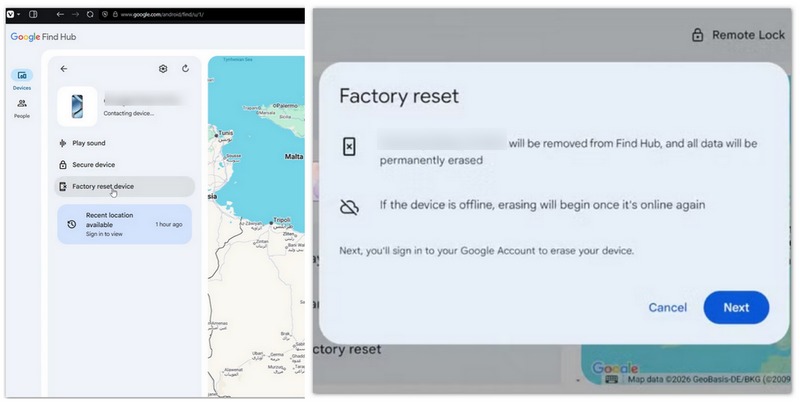
Google's Find Hub is designed to locate and protect compatible Android devices. It no longer offers a direct password unlock button. Its only available action now is "Erase Device", which performs a full remote factory wipe and deletes all data, including its screen password. And after erasing and rebooting the device, you may sometimes be asked to enter your Google credentials to access it.
Xiaomi Cloud provides supported devices with functions for locating a phone, activating Lost Mode, and clearing data. As long as you have a Mi Account and “Find Device” was enabled (To enable it, go to "Settings" > "Xiaomi Account" > "Xiaomi Cloud" > "Find device"), you can use it to reset the phone and remove the Android lock screen.
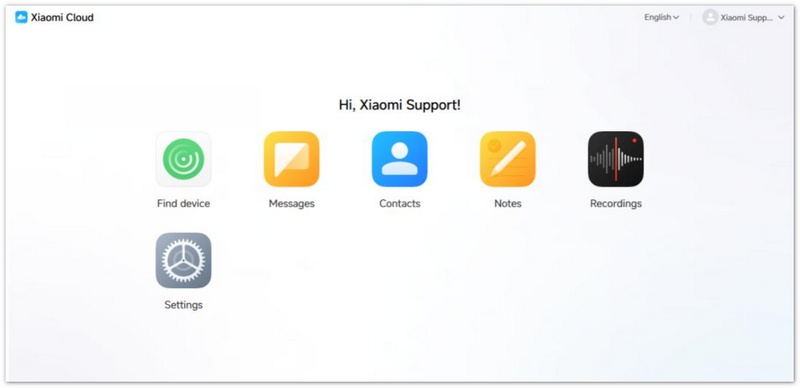
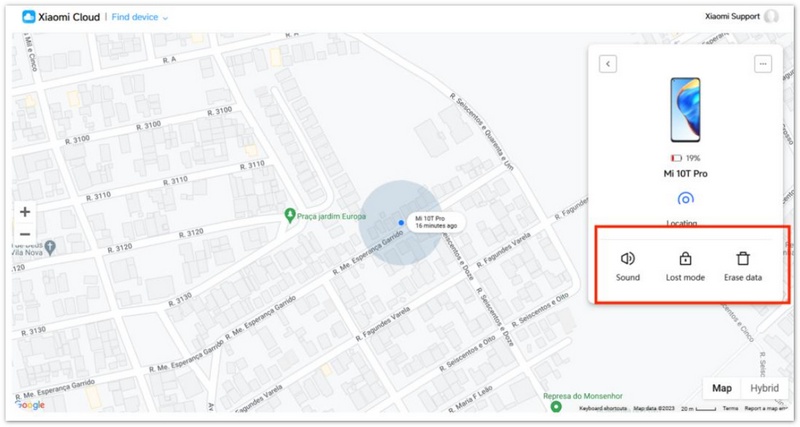
After erasing the lock screen password, it sometimes needs you to enter your Mi account password to bypass the activation lock; in this case, you can resort to using Xiaomi's official account recovery or activation support process.
Can You Unlock an Android Phone Using ADB Commands?
ADB (Android Debug Bridge) can clear screen lock in very specific cases: USB debugging must have been turned on before the phone became locked. If USB debugging was disabled, ADB cannot connect to the locked device. When the condition is met, you can run ADB commands to delete the lock screen credential file. And this method fails on most new Android security patches, and it is not recommended for ordinary users because it requires command-line knowledge.
Existe um código mestre de desbloqueio para telefones Android?
Não, não há. O código mestre universal não existe. Se você esqueceu as senhas do telefone Android, use as soluções acima: Encontre Meu Dispositivo, Encontre Meu Celular, Conta do Google e o Desbloqueador Android inteligente.
Posso usar a Chamada de Emergência para desbloquear meu telefone Android sem senha?
Sim você pode. Porém, esta solução só funciona para versões anteriores do Android. Se o seu telefone estiver executando o sistema operacional Android 14 ou 15 mais recente. Você não pode ignorar a tela de bloqueio com este recurso de chamada de emergência.
Posso desbloquear meu telefone Android usando comandos de voz sem senha?
Sim você pode. Se você já ativou o recurso Desbloquear com Voice Match em seu telefone bloqueado antes, pode usar o assistente de voz para ajudá-lo a desbloquear o dispositivo.
Conclusão
Para unlock Android phone password without factory reset, your best choice depends on whether you pre-enabled cloud services or Extend Unlock. Samsung Find can keep data for Galaxy users, but Google Find My Device will erase all data. If you did not set up any pre-lock features, Aiseesoft Anock Android Unlocker is the most convenient desktop solution to bypass android lock screen without losing data, and it also supports FRP removal. Always check the data retention rule of each method before you start, to avoid unexpected data loss.
 Como desbloquear tablet Android sem senha em 2024
Esqueceu a senha do seu tablet Android e não consegue abri-lo? Não se preocupe, oferecemos várias maneiras de ajudá-lo a desbloquear seu tablet sem complicações.
 6 soluções válidas para ignorar a tela de bloqueio do Android como um profissional
Como ignorar uma tela de bloqueio do Android? Todas as etapas necessárias estão aqui, além de 6 soluções extras para desbloquear seu telefone sem PIN, senhas ou impressões digitais.
 Fácil acesso ao Mastering Android Smart Lock
O Android Smart Lock é de grande importância para a segurança do seu celular. A seguir estão as apresentações específicas do Android Smart Lock para você.
Compatível com todas as versões do sistema operacional Android, este desbloqueador oferece uma maneira fácil e segura de remover qualquer tipo de bloqueio de tela e ignorar o FRP rapidamente.
100% seguro. Sem anúncios.
100% seguro. Sem anúncios.

*Campo obrigatório
*Por favor, insira um e-mail válido